Scrittoio, screen by screen
What Scrittoio looks like, one screen at a time. The book you see is an invented example, «The Lighthouse Keeper», a family story: the same one you'll find in the demo.
Scrittoio is in development: some screens may still change.
Try the demo → Before you open it: what works and where your writing stays.
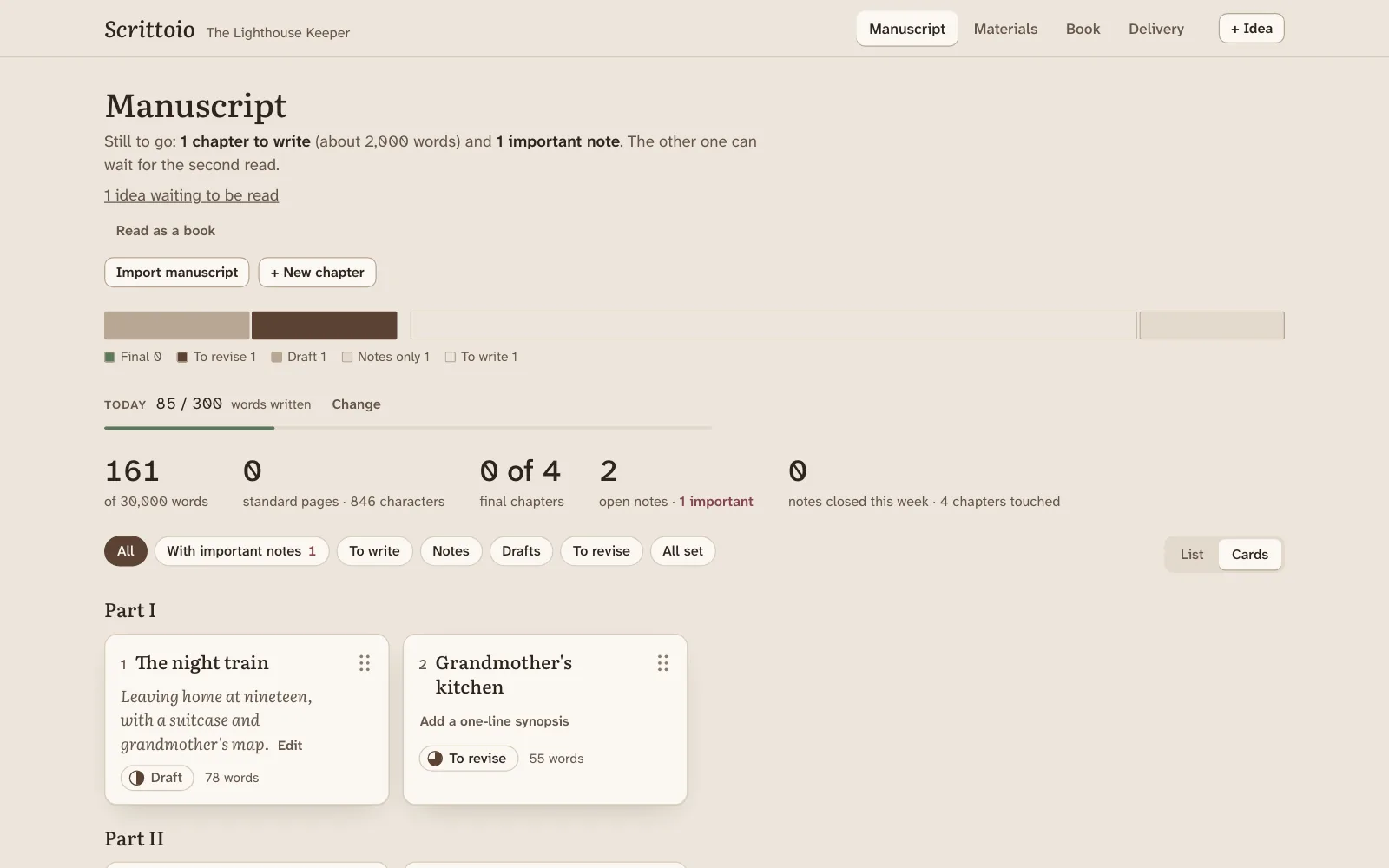
Your manuscript at a glance
Every chapter with its status and word count, as a list or as cards with a synopsis. The bar at the top is the book seen from the side; below it, today's goal and the notes still open.
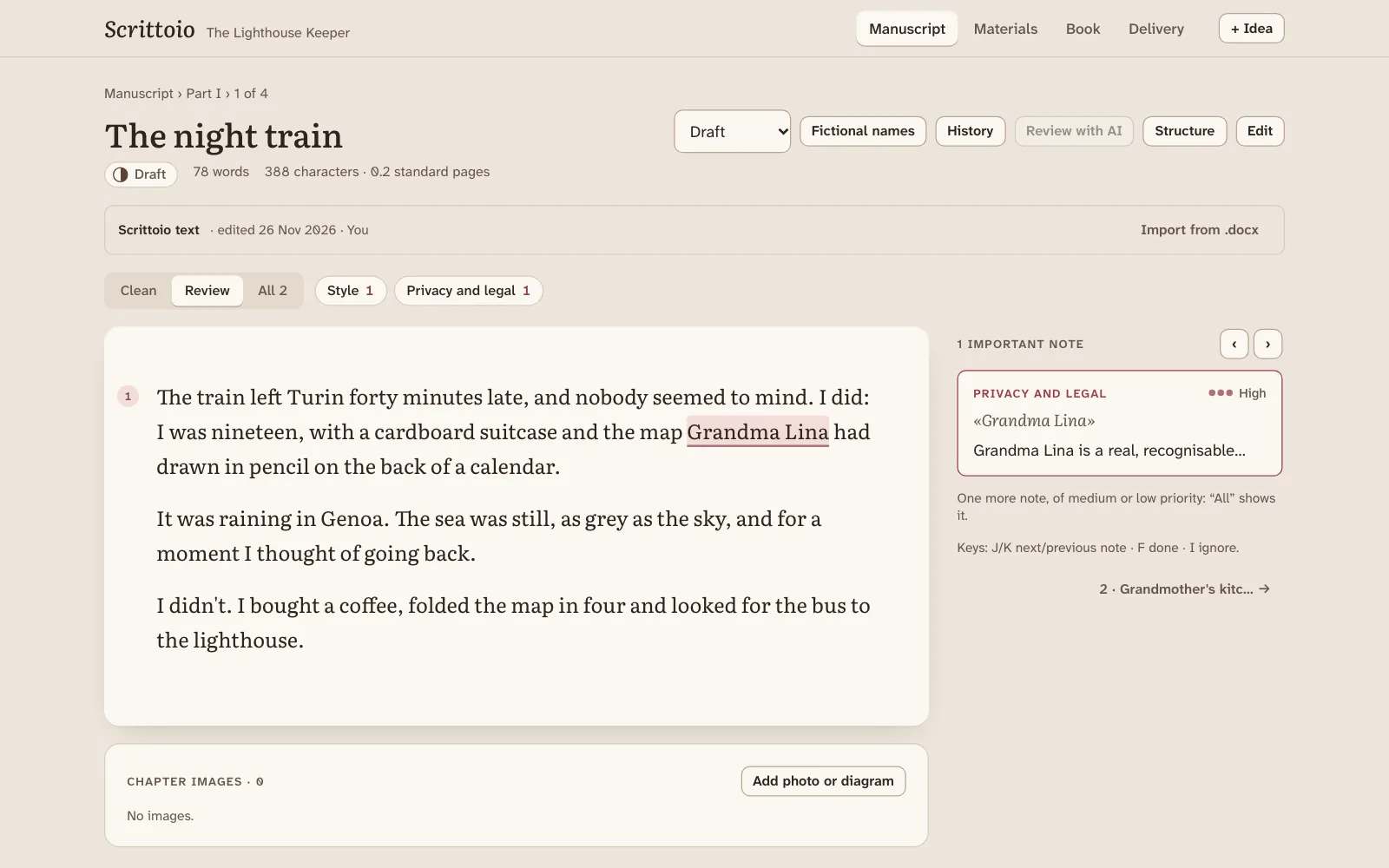
A chapter, with notes in the margin
The text reads like a page. Revision notes are tied to the exact sentence and sorted by type: facts and dates, style, privacy, missing scenes, cuts. Important ones first.
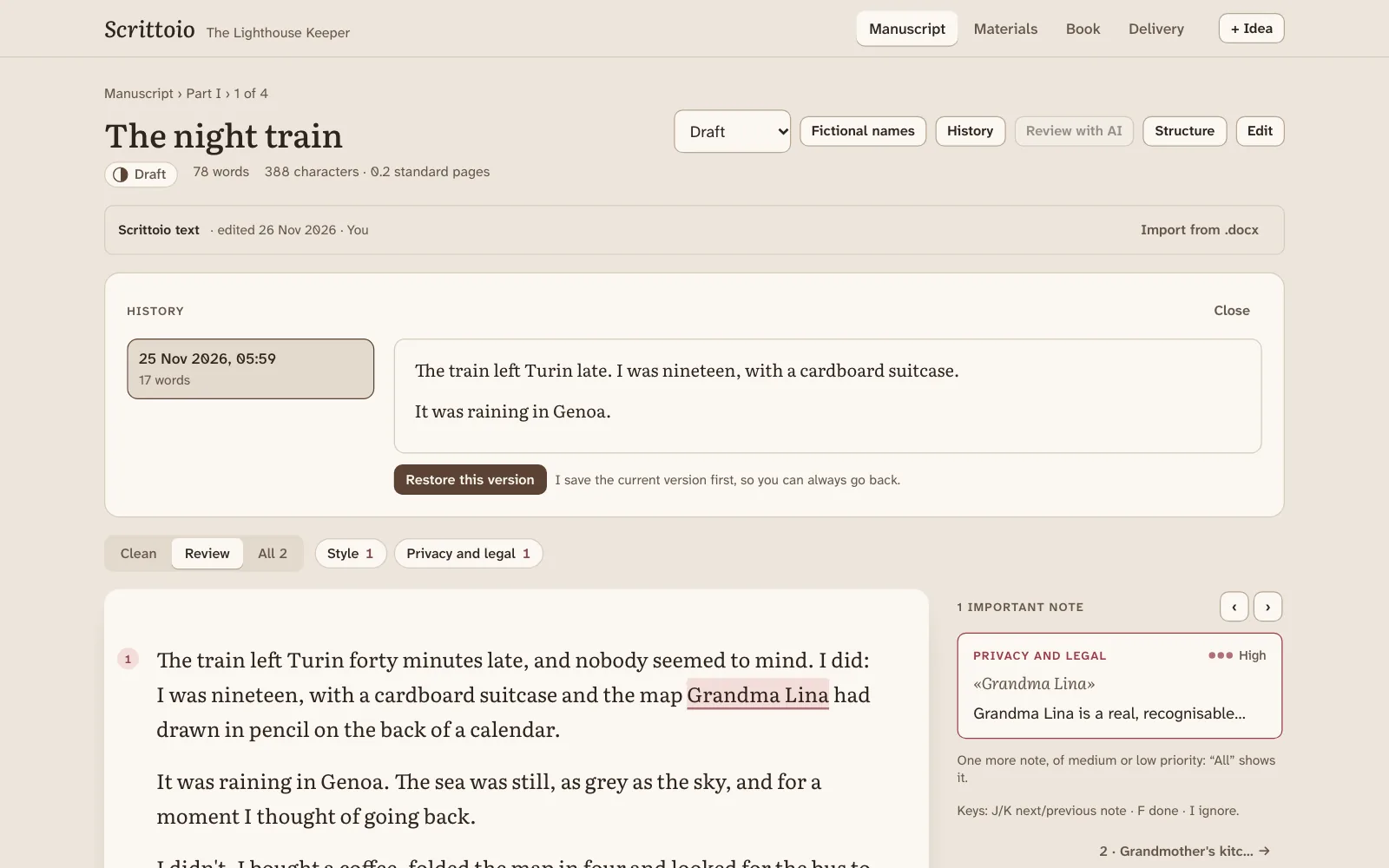
Every version is kept
Scrittoio saves earlier versions of each chapter. You can reread them and restore one: the current version is saved first, so you can always go back.
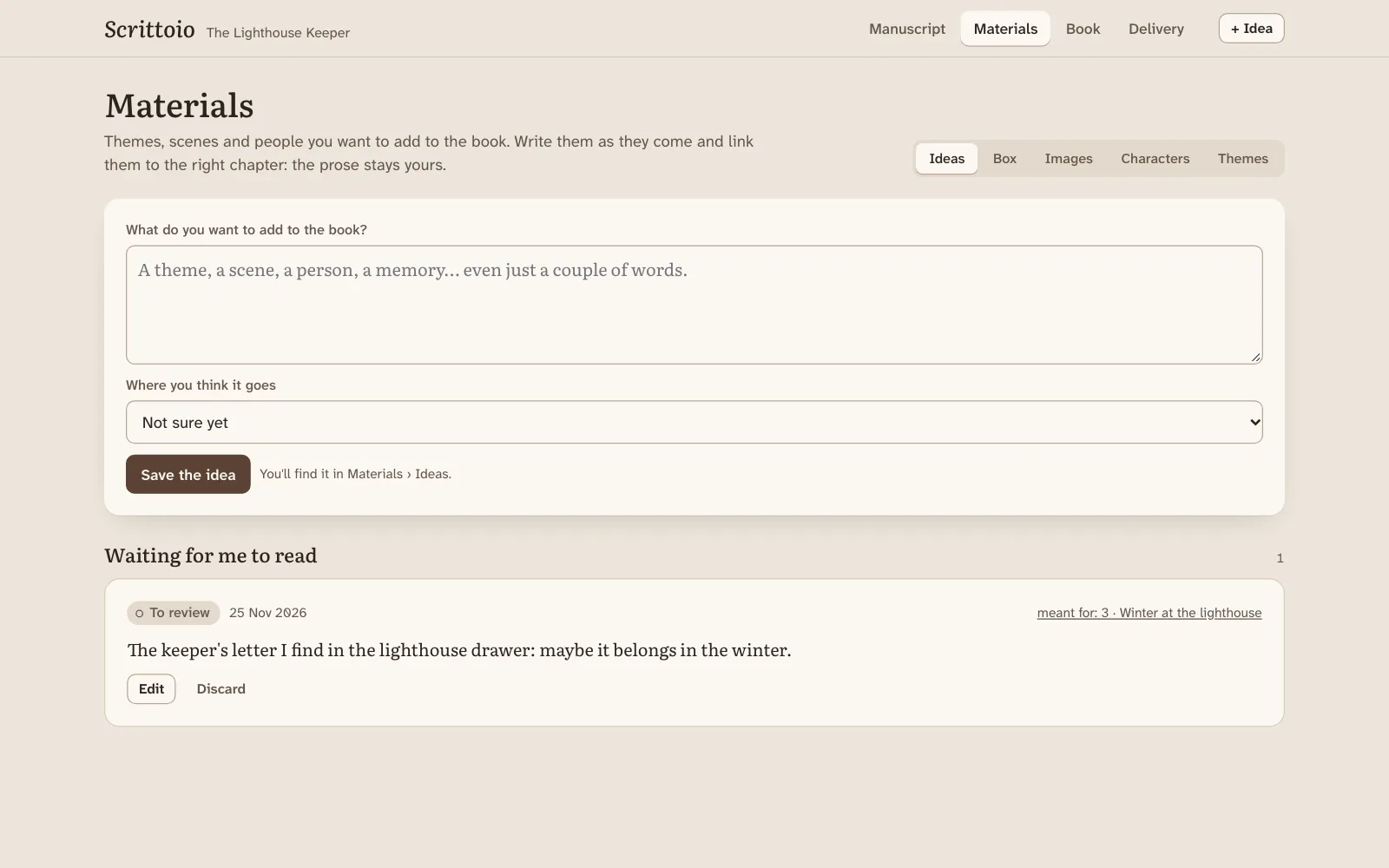
Ideas, in the right place
Jot down an idea as it comes, even in two words, and link it to the chapter you have in mind. You'll find it in Materials, next to boxes, images, people and themes. The prose stays yours.
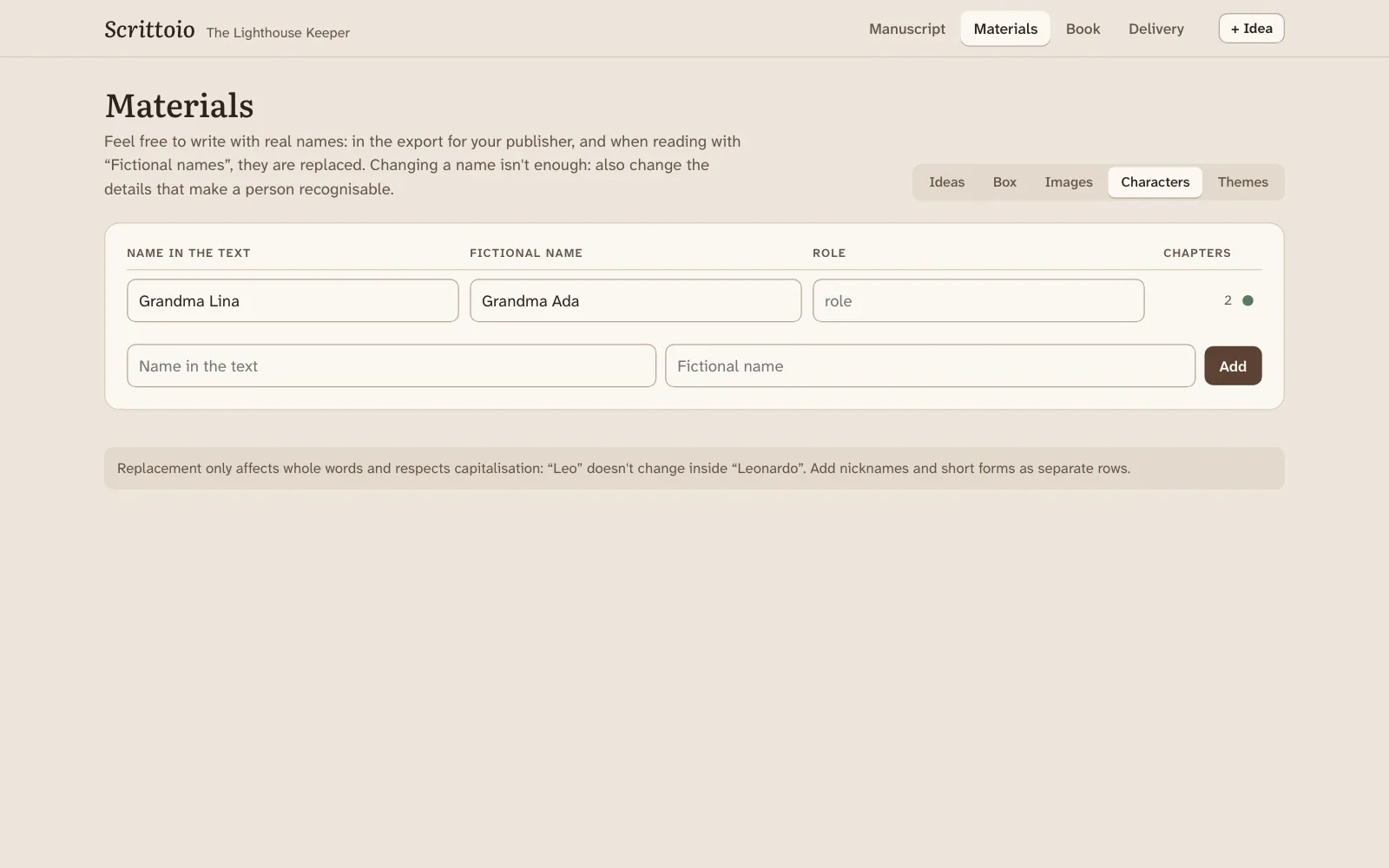
Real names, fictional names
For true stories: write with real names, and in the export for publishers Scrittoio swaps in the fictional ones. It warns you if someone doesn't have one yet.
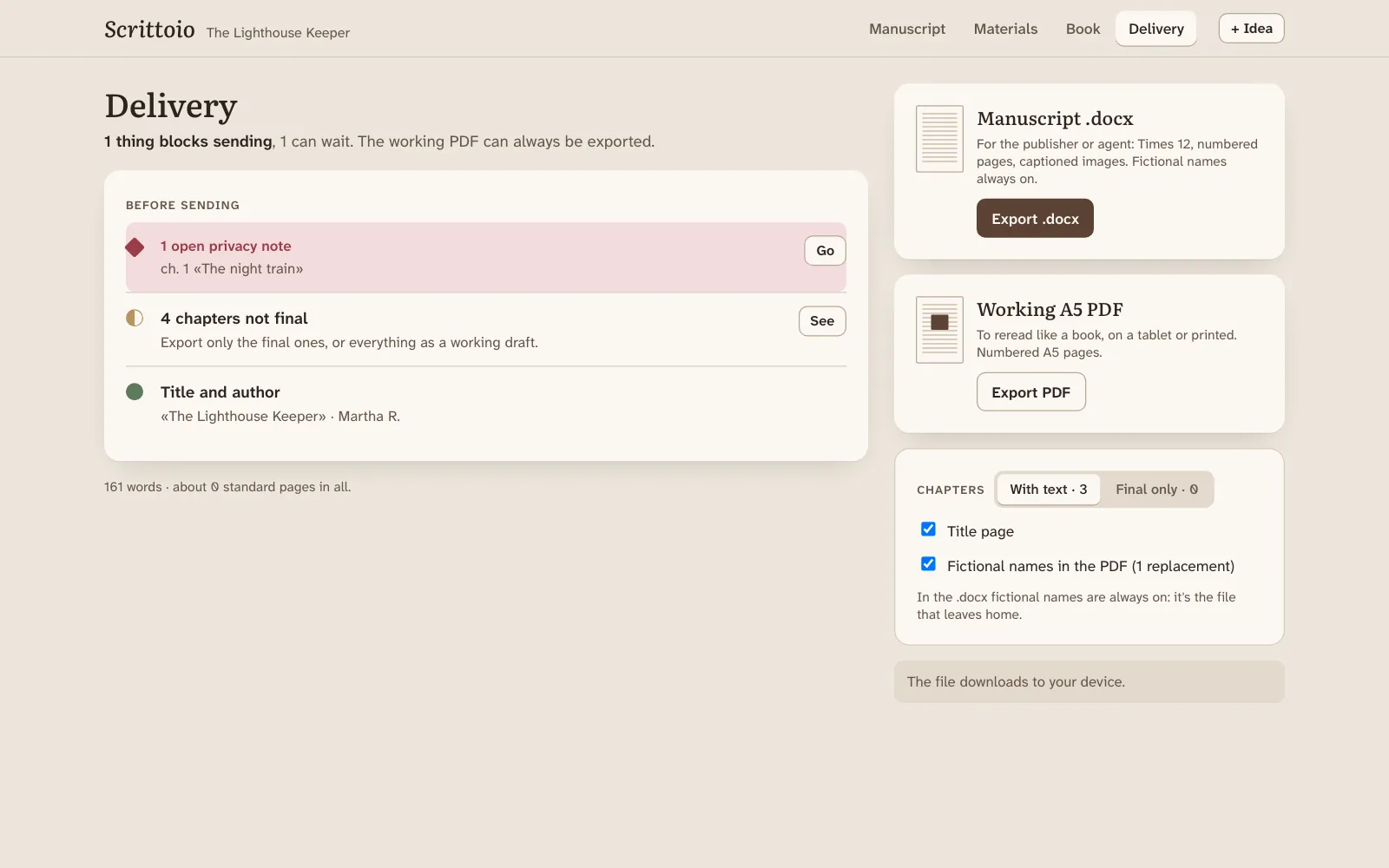
Ready for the publisher
Before you send, a list of what blocks it and what can wait. Then the manuscript as a .docx formatted for publishers and agents, or an A5 PDF for rereading.
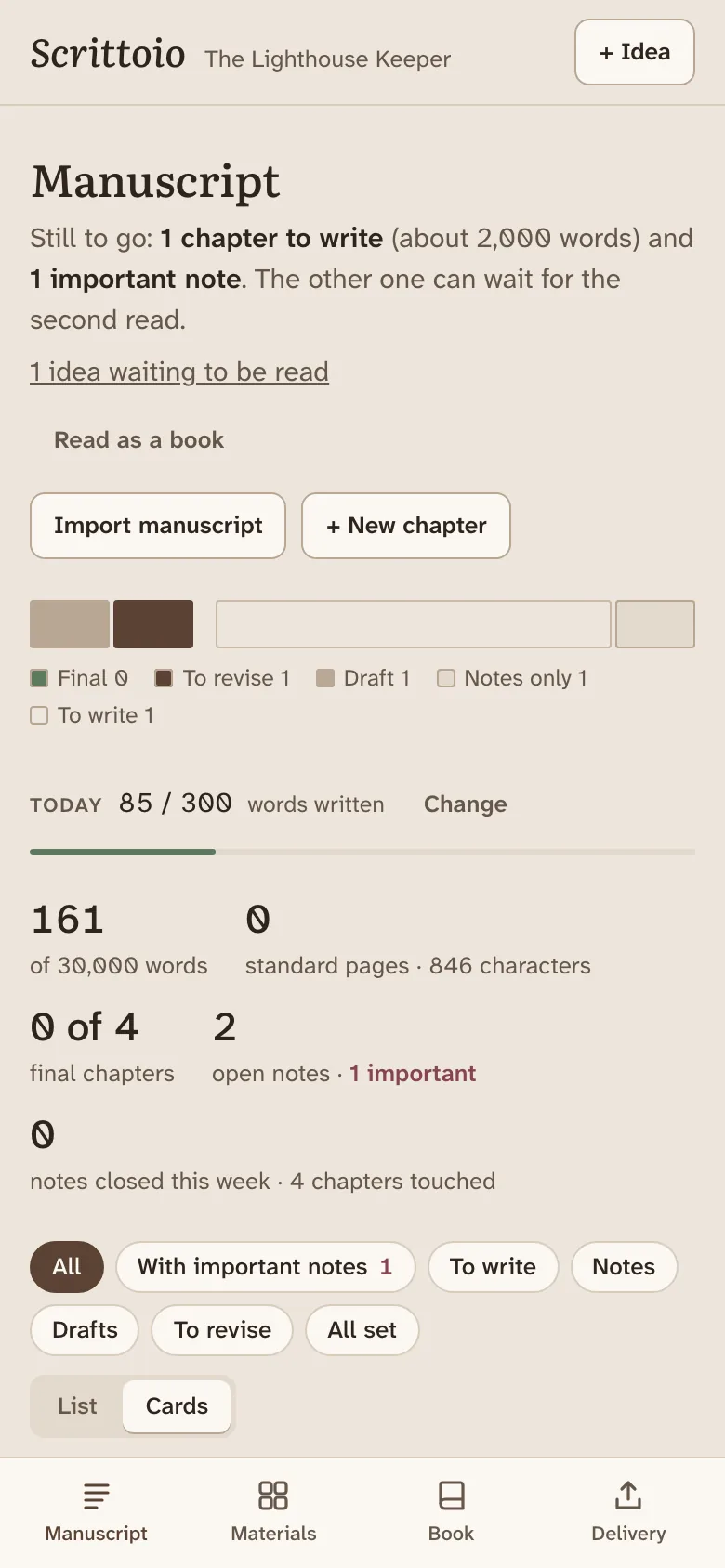
On your phone too
The same book on phone and tablet, to write or reread wherever you are.